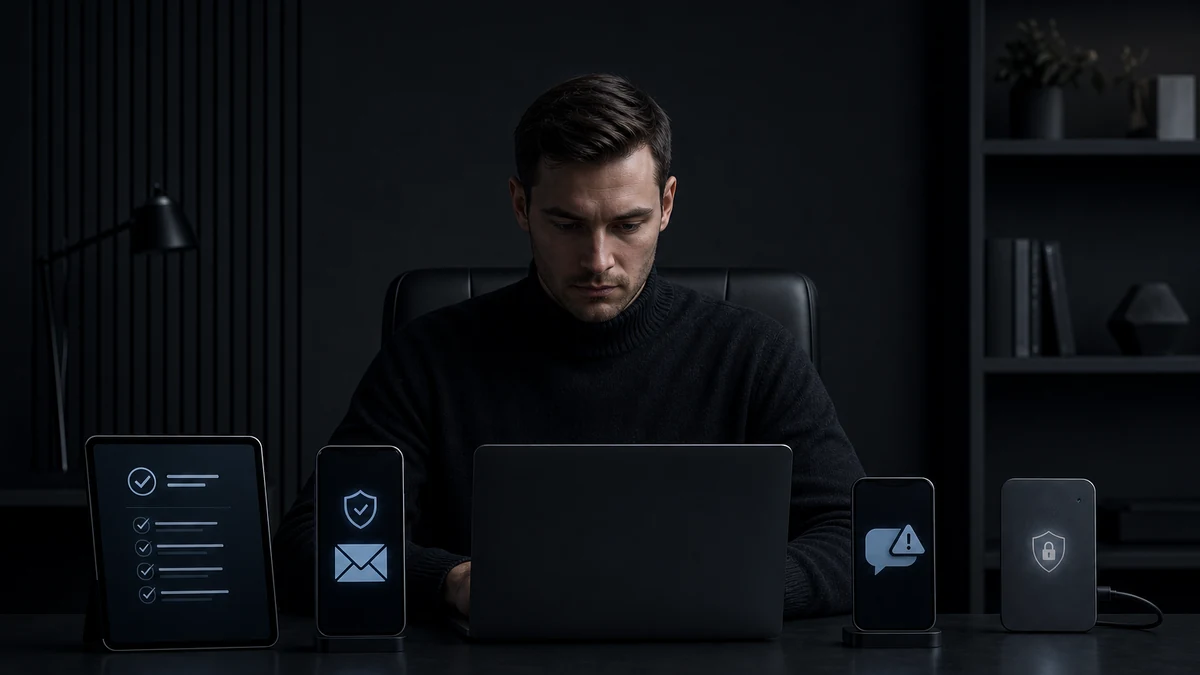
The most dangerous area in personal financial infrastructure usually does not look dangerous. It is an ordinary phone, a work laptop, a browser bookmark, a messenger message, an email "from support," and a wallet address copied in a hurry. The market can fall and rise. But if you personally sent assets to the wrong place or gave access to someone else's application, it is already too late to discuss the investment idea.
I treat crypto security like an engineer, not like a fan of horror stories. You do not need to turn your life into a bunker. You need to divide the environment into layers and set a simple rule for each layer: what I check, how often I check it, and when I stop the action. Discipline is boring. But capital likes exactly these boring procedures.
Below is my practical checklist for a personal security stack. It does not guarantee protection from every scenario. Such guarantees do not exist in the real world. But it reduces the probability of four everyday mistakes: an infected device, communication substitution, clicking a phishing link, and incorrectly confirming a financial operation.
1. Separate devices by role
The first mistake is using the same laptop for everything: work, email, entertainment, financial operations, browser extensions, random files, video conferences, and wallets. It is convenient. That is exactly why it is dangerous.
The minimal model looks like this:
- financial device — only exchanges, wallets, banks, two-factor authentication, and operation confirmations;
- work device — documents, clients, CRM, email, and negotiations;
- everyday device — media, shopping, subscriptions, test services, and experiments;
- backup device — a clean spare environment in case the main access device breaks or is blocked.
If you do not have separate devices, at least separate operating system profiles and browsers. A financial profile should not live next to discount extensions, PDF converters, unknown VPNs, and "convenient" plugins. A free plugin often costs more than paid software. The bill simply arrives later.
Device checklist
- Only necessary applications are installed on the financial device.
- The operating system and browser are updated regularly.
- Login is protected by a password, biometrics, or a hardware key, if one is used.
- The screen locks automatically.
- Cracked programs, unknown extensions, and "accelerators" are not installed.
- Remote access is disabled if it is not needed.
- Bluetooth, file sharing, and public networks are not enabled out of habit.
Audit frequency: once a month. Stop rule: if the device behaves strangely, unknown applications appear, pop-ups appear, or permission requests appear, financial operations are not performed from it until it has been checked.
2. Email: not an inbox, but a root key
Email is often more important than the account on the financial service itself. It is used to restore access, confirm changes, receive notifications, and sometimes communicate with support. If email is weak, the rest of security rests on nothing but trust. And trust works poorly against phishing.
For financial operations, it is better to have a separate address. Not attractive, not public, not listed on social networks, and not used for newsletters. Its job is to be a boring technical node.
Email checklist
- Financial email is not used for registrations in stores, forums, or random services.
- The password is unique and stored in a password manager.
- Two-factor authentication is enabled.
- Backup addresses and recovery phones have been checked.
- Old forwarding rules and filters have been removed if they are not needed.
- Active sessions and connected devices have been checked.
- Emails related to financial actions are not opened on an infected or someone else's device.
Audit frequency: once a month and after any suspicious activity. Stop rule: if an email demands that you urgently follow a link, change a password, confirm a withdrawal, or "save the account," the action is not performed from the email. Open the service only through a previously saved bookmark or by manually entering the address.
3. Messengers: where trust is replaced by speed
A messenger is convenient for communication. But it is a poor single channel for confirming financial actions. An account can be lost. A name and avatar can be copied. The tone of a conversation can be imitated. And the phrase "urgent, I will explain later" should trigger not sympathy, but an internal siren.
Situations are especially dangerous when money, access, or addresses are transmitted in a chat without a second verification channel. If a partner, employee, assistant, or acquaintance sends a new wallet address, that is not a fact. It is only a message. A fact appears after independent confirmation.
Messenger checklist
- There is a previously agreed list of communication channels for financial issues.
- New addresses, payment details, and instructions are not accepted based on a single message alone.
- Messenger login protection and a cloud access password are enabled if the service supports them.
- Old devices and active sessions are removed regularly.
- Files from unknown contacts are not opened on the financial device.
- Important instructions are confirmed through a second channel: a call, an in-person meeting, or a previously known email address.
Audit frequency: once every two weeks for active sessions, immediately after changing a phone or computer. Stop rule: any message with a new address, changed payment details, time pressure, or a request to bypass the usual procedure automatically moves the operation into pause mode.
4. Links: enter through a route, not through bait
Phishing works not because people are stupid. It works because people are in a hurry. A fake link can look almost perfect. One extra letter, a similar domain, an advertising result, an interface clone, a message saying "your account is restricted." That is enough. After that, the user enters the login, password, and code themselves.
My approach is simple: financial services are not opened from emails, ads, comments, or private messages. Only through saved bookmarks, manual address entry, or a separate protected list of links.
Link checklist
- Main financial websites are saved in browser bookmarks.
- Bookmarks are created manually after checking the domain.
- Links from emails and messengers are not used to log in to accounts.
- Before entering data, the domain is checked, not only the appearance of the page.
- Suspicious shortened links are not opened on the financial device.
- QR codes for financial actions are checked just as strictly as text links.
Audit frequency: once a quarter, check the set of bookmarks and remove what is unnecessary. Stop rule: if a link arrives with an emotional trigger — urgent, bonus, block, fine, gift, security confirmation — do not click it. First open the service through your usual route.
5. Passwords and two-factor authentication: not heroics, but accounting
Remembering dozens of complex passwords is impossible. Using one password everywhere means assembling a master key for the attacker yourself. A normal model is more boring: a password manager, unique passwords, separate protection for the manager itself, and a backup access plan.
Two-factor authentication is not magic either. It reduces risk, but it does not eliminate phishing if the user enters the code on a fake page themselves. So 2FA is a layer, not an indulgence.
Access checklist
- Every important service has a unique password.
- Passwords are not stored in notes, screenshots, chats, or unprotected spreadsheets.
- The password manager is protected by a separate strong master password.
- Backup codes are saved offline and are not kept next to the main device.
- Two-factor authentication is enabled for email, exchanges, wallets, and the password manager.
- When changing phones, the 2FA recovery scenario has been checked in advance.
Audit frequency: once a quarter and after losing a device. Stop rule: if a service suddenly asks you to re-enter a password, code, and seed phrase, the operation is stopped. Especially the seed phrase. Entering it on a website is almost always a sign of trouble.
6. Financial applications: the less installed, the smaller the attack surface
A private investor's digital shed often gradually expands: several exchanges, wallets, scanners, trackers, applications, test services, old accounts, extensions, imported keys. Then the person no longer remembers what is connected where. A perfect environment for mistakes.
The principle is simple: everything that is not used must be disabled, deleted, or moved to an archive. Without sentimentality. An application that "might suddenly be needed someday" may suddenly be needed by someone other than you.
Financial application checklist
- A list has been made of all services where there is access to funds or data.
- Unused accounts have been closed or protected in the minimum necessary way.
- Connected APIs, permissions, and integrations have been checked.
- Applications are installed only from official sources.
- Financial applications are not tested on a device with an unknown security state.
- Login and operation notifications are enabled where possible.
Audit frequency: once a month for active services and once a quarter for the full list. Stop rule: if you cannot explain why an application needs access, a permission, or an integration, access is disabled until clarified.
7. The transfer confirmation ritual
A transfer is not a click. It is a procedure. Especially if the operation is irreversible or difficult to cancel. An error in the address, network, tag, memo, payment purpose, or recipient can be costly. You do not need to be fast here. You need to be meticulous.
I use the principle of three pauses: before copying the address, before confirmation, and after the final screen appears. Each pause is needed not for beauty, but so the brain stops working on autopilot.
Transfer checklist
- The recipient is confirmed through a previously known channel.
- The address is not taken from a random message without verification.
- The first and last characters of the address are checked.
- The transfer network and additional fields are checked if they are needed.
- The amount is entered without rushing and reviewed before final confirmation.
- For a new address, a test operation is performed first if the transfer size is significant for you.
- After copying the address, it is compared again before sending.
Audit frequency: before every operation. Not once a month, not depending on mood, but every time. Stop rule: any mismatch in the address, network, recipient, amount, or confirmation channel stops the operation. Do not "fix it on the fly"; start the check again.
8. Stop list: when you must not press the button
In security, it is more important to have a short list of prohibitions than to know a thousand threats. I call this a stop list. It is needed when a person is tired, in a hurry, angry, or wants to close the task faster. This is exactly when the most expensive everyday mistakes are made.
- You must not confirm a transfer if you are being rushed.
- You must not enter a seed phrase on a website, in a support form, or in a messenger.
- You must not install an application from a link in a chat.
- You must not change a recipient address without a second confirmation channel.
- You must not perform a financial operation from a device whose state raises doubts.
- You must not combine "I will check later" with "I will send now."
A good procedure does not require inspiration. It requires execution. If you have doubts, the action is paused. The market is not obliged to wait, but security is even less obliged to yield to your haste.
9. A weekly 15-minute mini-audit
For the checklist not to die after three days, it needs a short rhythm. Not a heroic "cybersecurity day" once a year, but a regular mini-audit. Fifteen minutes a week is enough to notice extra devices, strange emails, new sessions, and forgotten applications.
An example weekly scenario:
- Check active email and messenger sessions.
- Review login notifications for financial services.
- Delete unnecessary files and applications from the financial device.
- Check whether new browser extensions have appeared.
- Update the system and key applications.
- Write down one identified risk and one corrected action.
This is not paranoia. It is technical maintenance. You do not call a car "anxious" when you change its oil. The logic is the same with a digital environment.
10. How to connect security with investment discipline
Financial discipline does not end with choosing assets and position size. It starts earlier: with who has access, from which device the operation is performed, through which link the service is opened, and how the transfer is confirmed.
In the practice of CRYPTOBOTPRO LLC, we follow the same engineering logic: automated investing in the SPOT market without futures or leverage should rely not on impulse, but on procedures. But even the most careful investment approach does not save a person who enters access credentials on a phishing page or confirms a transfer while tired.
That is why a personal security stack is not a separate topic for "IT people." It is part of capital management. Not the brightest part. But one of the most practical.
Final one-screen checklist
- Financial operations are performed only from a clean and controlled device.
- Financial email is separated from everyday registrations.
- Login to important services is protected by unique passwords and two-factor authentication.
- Financial websites are opened through bookmarks or manual address entry.
- A messenger is not considered a sufficient channel for changing an address or payment details.
- Before a transfer, the recipient, address, network, amount, and additional fields are checked.
- Any time pressure triggers a pause, not acceleration.
- A suspicious device, link, or message stops the operation until it is checked.
- A short audit of sessions, applications, updates, and notifications is conducted once a week.
Educational disclaimer: this material is not individual investment, legal, or technical advice. It describes general principles of operational security and does not guarantee protection from all threats. Decisions about storage, access, and financial operations should be made taking into account your situation, the services you use, and your level of technical preparation.